
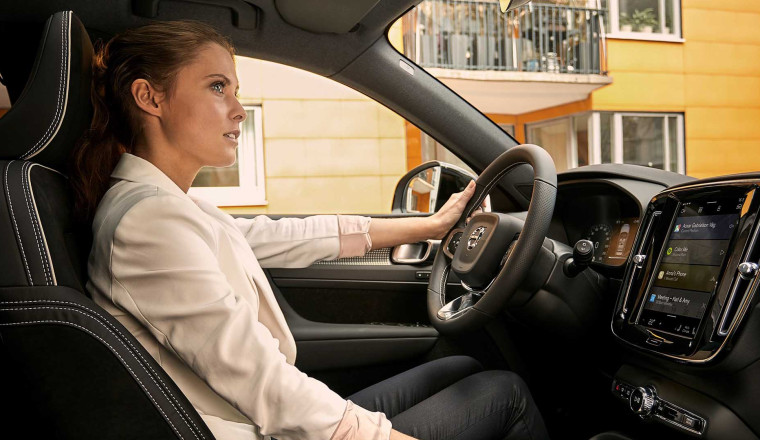

Using voice commands allows you to take control of many of your car’s functions without removing your hands from the steering wheel. It’s quick and convenient, and it could also help you drive more safely.
We have all got accustomed to using voice commands in everyday life. Whether it’s asking Siri for a shepherd’s pie recipe, getting Google to help with maths homework or requesting Alexa to play some Dire Straits (OK, maybe that’s just us). However you use it, voice control has become second-nature.
It’s not perfect, but using voice commands in a car today is far more effective than it was a decade ago. Many new cars will feature a voice command button on the steering wheel. Press it and you can change the radio station, turn up the volume, set a destination or adjust the air conditioning.
On some cars, the voice command button can also be used to find a place to park, check the weather, compose a text message or read your latest WhatsApp conversation.
Most modern cars rely on a touchscreen to control ‘intotainment’ functions, often via multiple sub-menus, so the effectiveness of voice control is more important than ever.
Many people prefer to use Apple CarPlay or Android Auto while driving. These systems recreate the familiar home screen of your smartphone, along with many of its apps and functions, on the car’s touchscreen. They too can be controlled using the in-car voice command button.
Read on for a brief explanation of how to use each one.
There are two ways you can use Siri to control Apple CarPlay. The method will depend on your particular car.
To use Google search and command functions with Android Auto, follow these steps:
Apple CarPlay Ultra – which made its world debut on the Aston Martin DBX707 and new DBX S – is a deeper integration of CarPlay into the vehicle’s software and systems. It reduces the need to toggle between the CarPlay interface and the car’s own touchscreen menus.
You still get the usual on-screen icons for making calls, listening to podcasts, Google Maps and more, but you can also access many car-specific functions via CarPlay, such as the heating and ventilation, drive modes, parking cameras and driver assistance systems. In Aston Martin models, CarPlay Ultra also has its own customisable driver display.
Our verdict on Apple CarPlay Ultra? ‘The system works well and makes interacting with the car a little easier, backed up by “proper” physical controls on the centre console. Don’t have an iPhone? You can use Android Auto, although it won’t offer any enhanced functionality.’
ALSO READ:
Explained: every type and body style of car on sale
What is a historic vehicle – and what are the benefits?
The best new cars to buy in 2026
Hyundai plans five-car new model charge: what is coming and when?
Bertone Runabout: the retro roadster inspired by a 1969 concept car
Polestars can now use Plug & Charge devices – including Tesla’s!
McLaren celebrates F1 success with Artura Spider MCL39 Edition